$ sudo apt-get install tmux
$ sudo pacman -S tmux
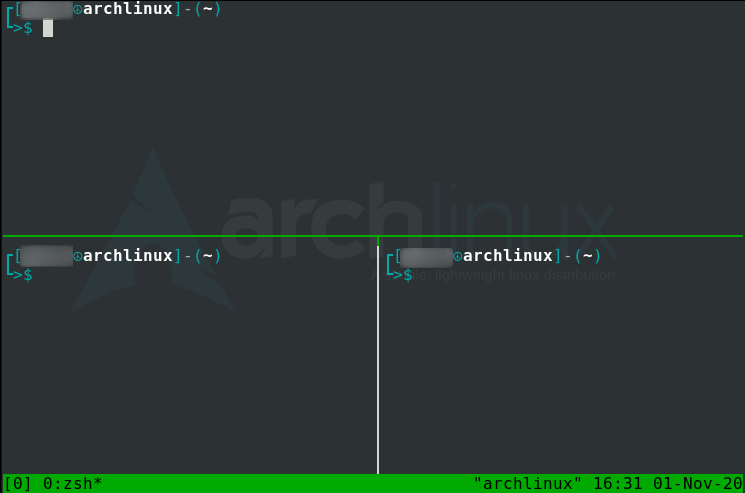
$ tmux
$ tmux new -s [session-name]
| Command | Description |
|---|---|
| tmux ls | List all tmux sessions. |
| ctrl b shift $ | Change the current tmux session name. |
| ctrl b d | Dettach a tmux session. |
| tmux a -t [session-name] | Reattach a tmux session. |
| ctrl b s | Switch between 2 or more tmux sessions. |
| ctrl b shift : | Get into tmux prompt. |
| tmux kill-session -t [session-name] | Kill a tmux session. |
| tmux kill-session -t [session-name-in-use] -a | Kill all tmux sessions except the one currently in use. |
| exit | Exit currently selected tmux session. |
| Command | Description |
|---|---|
| ctrl b shift " | List all tmux sessions. |
| ctrl b shift % | Split pane horizontally. |
| ctrl b spacebar | Cycle/toggle between tmux layouts. |
| ctrl b [arrow-key] | Move between 2 frequently used panes. |
| ctrl b ; | Move to different panes. |
| ctrl b shift } | Move the currently selected pane clockwise. |
| ctrl b shift { | Move the currently selected pane counter-clockwise. |
| ctrl b q | Check pane number. |
| ctrl b z | Enlarge a particular pane, if that pane is to small to view the results. |
| ctrl b x | Kill pane. |
| Command | Description |
|---|---|
| swap-pane -s [pane-number] -t [pane-number] | List all tmux sessions. |
| swap-pane -t [pane-number] -s [pane-number] | Change the current tmux session name. |
| join-pane -s [window-name] | Dettach a tmux session. |
| join-pane -t [window-name | Reattach a tmux session. |
note: adding -v or -h joins horizontally or vertically respectively for join-pane.
| Command | Description |
|---|---|
| ctrl b c | Create a new empty tmux window. |
| ctrl b , | Change the currently selected window name. |
| ctrl b shift ! | Move the currently selected pane to it's own tmux window. |
| ctrl b p | Move back to previous tmux window. |
| ctrl b n | Move up to next tmux window. |
| ctrl b w | View and cycle between all tmux windows. |
| ctrl b shift & | Kill or completely close a tmux window. |
| Command | Description |
|---|---|
| ctrl b [ | Start copy mode. (note: always start copy mode before using below key-bindings.) |
| ctrl r | Search/grep up the wall of terminal text. |
| ctrl s | Search/grep down the wall of terminal text. |
| ctrl spacebar | Enable text highlighting to select text for copying. |
| alt w | Copy the highlighted text to tmux clipboard. |
| ctrl b ] | Paste from tmux clipboard to a terminal text editor. |
| ctrl b shift # | Double check what is copied to the tmux clipboard. |
| q (or) esc | Exit out of copy mode. |